
How do I use an Invite Code in Recapture?
Invite codes are periodically given out by Recapture to allow you to sign up with a special offer as a new customer on the platform.
Here's how you can redeem an invite code for your account.
- First, you must create a valid Recapture account on https://recapture.io. See this article here for installing Recapture on your favorite store platform (or links for other platforms).
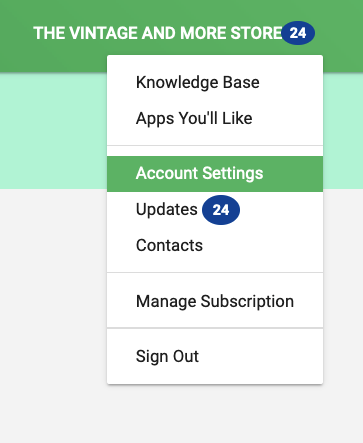
- After installing Recapture, go to the Account Settings menu on the upper right side of your Recapture dashboard:
-
- Click on "Enter Invite Code":
-
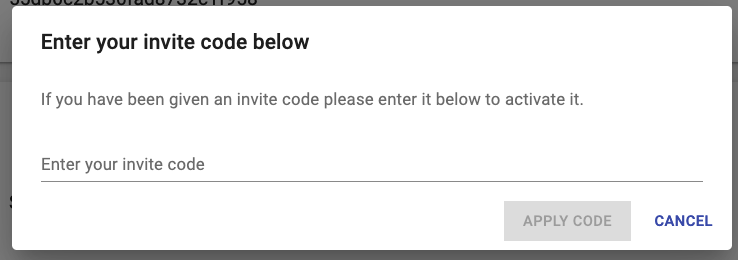
- Provide the code in the dialog and click "Apply Code".
-
- Please note: Codes can expire, so you may have an invite code that is no longer available.

If you're ever stuck, don't hesitate to Contact Support and we can help you work it out.